


YTV Player Pro
Prod ADP
I approached YTV Player Pro as a practical video-link player rather than as a full streaming service. That distinction matters. Its purpose is to open and play video links, so the experience depends less on discovering a large built-in catalog and more on how comfortably the app fits into the way you already receive or use links. In my experience, that makes it appealing for a specific kind of viewer: someone who wants a focused player without the extra layers found in larger video platforms.
The app is free, available for everyone, and developed by Prod ADP. It sits in the video players and editors category, although I would use it primarily for playback rather than editing. It has reached more than fifty million installs and holds an average rating of 4.2 from about one hundred eighty-one thousand ratings. Those figures suggest that the basic idea is useful to a broad audience, but they do not remove the need to check whether its simple link-first workflow matches your own habits.
What the link-first design feels like in daily use
The most important thing to understand is that YTV Player Pro is not trying to replace every video app on your phone. I would not open it expecting a recommendation feed, a social video community, or a complete media library. I see it as a destination for a video link: paste or open the link, start playback, and keep the experience centered on watching.
That narrow focus can be a genuine advantage. When I already have a link from a message, a browser page, a work conversation, or a personal note, a dedicated player can feel more direct than moving through a platform designed to show me unrelated content first. The app’s store summary presents it as an application for playing video links, and that description accurately sets the expectation: its value is in handling the link you bring to it.
A realistic everyday example would be receiving a video URL in a group chat while using a phone with several media apps installed. Instead of opening a large service and searching for the same item, I would use the link with this player and keep the task limited to playback. That is especially convenient when the link is already the thing I trust and I do not need recommendations, comments, subscriptions, or a creator profile around it.
Related News

Instagram Is No Longer a Photo App. It Is an Attention Engine

Microsoft Teams Mobile: When Collaboration Becomes Navigation

How the NFL App Adapts to Android and iOS Updates

Temu: Elevate Your Shopping Experience to Billionaire Status

Why Traffic Rider Works Best as a Precision Reflex Game

How Google’s Find Hub Transforms Everyday Searches
There is also a useful mental separation here. A link player is not the same as a downloader, a content host, or a video editor. I would not treat the app as a place to obtain copies of videos, repair damaged files, or produce a finished clip. Keeping that boundary in mind prevents disappointment and encourages a more sensible workflow: use it when you have a playable link and want a straightforward viewing step.
Where it fits better than familiar alternatives
Compared with watching through a browser, a dedicated player may feel less cluttered because the browser is built for many tasks at once. A browser can be the better choice when the video page requires surrounding text, interactive controls, sign-in, or a site-specific interface. YTV Player Pro makes more sense when the surrounding page is not important and the video link itself is the main object.
Compared with a major streaming application, this app has a different starting point. Large platforms are better when I want discovery, personalized suggestions, playlists, channels, or a history tied to a broad catalog. YTV Player Pro is more focused when I already know what I want to play. That focus is also its main limitation: users who expect a rich content ecosystem may find the experience too narrow.
Gallery
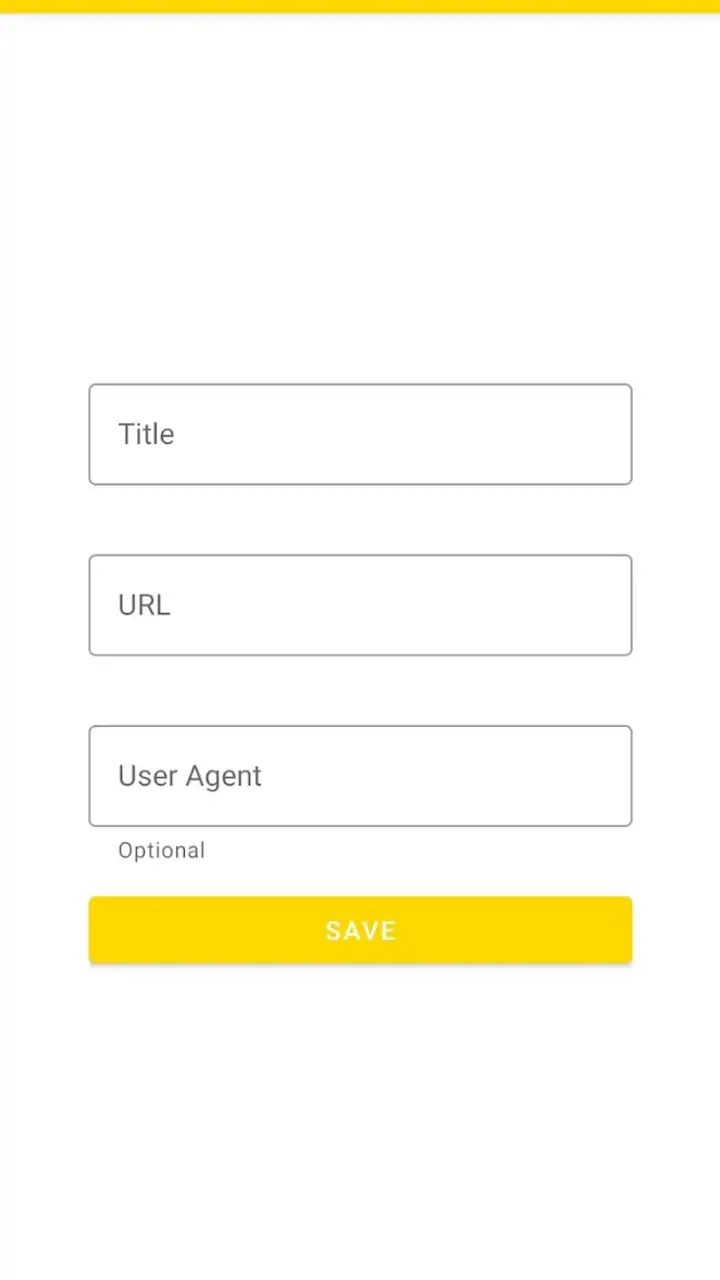
Compared with a general-purpose local media player, the distinction is equally important. A local player is normally strongest when the video is already stored on the device and I need file browsing, format handling, or library organization. YTV Player Pro is aimed at links, so I would choose the local alternative for offline files and choose this app for link-based viewing. Neither approach is automatically superior; the source of the video decides which workflow is sensible.
Small workflow choices that make a difference
One useful habit is to treat the link as the starting point and the app as the playback step. I would first check that I am opening the intended URL, especially when it arrives through a forwarded message or a shortened address. This is not a special feature of the player, but it is a practical way to avoid confusing a playback problem with a bad or unexpected link.
A second habit is to test important links before relying on them in a time-sensitive situation. If I need to watch something during a commute, a class break, or a work session, I would open it in advance rather than assuming every link behaves identically. Link-based playback can be affected by the source, availability, or the way the URL was generated. A dedicated player can simplify the viewing side, but it cannot make every external link equally reliable.
A third useful trade-off is to keep the app’s role narrow. I would not install it expecting it to organize every video in my life. Instead, I would use it for a repeatable “receive link, open player, watch” routine. That can reduce friction for people who often handle direct video URLs, while someone who mostly watches through subscriptions may gain little from adding another app.
Trust begins with what the app visibly lets me control
For an app that handles video links, trust is not only about whether playback starts. I also pay attention to the moments when a link is opened, passed between apps, or presented with a choice of where to continue. Those are the points where I want clear, understandable actions rather than an automatic path I do not recognize.
My practical advice is to read the visible prompt before confirming an external link. If the operating system asks which app should handle it, I prefer a deliberate one-time choice until I am confident about the workflow. That keeps the decision in my hands and makes it easier to change later. It is a small control, but it matters more than a polished interface when links come from many different places.
I also avoid assuming that a video link is harmless simply because it opens in a player. The source still matters. I would be cautious with links from unknown senders, unexpected redirects, or pages that ask for unrelated information. A player can be useful for playback, but it should not be treated as a security filter for everything connected to a URL.
The app is free and rated for everyone, which makes it approachable for households and casual users. Even so, an age rating should not replace ordinary supervision or sensible link habits. If a child receives links from outside the app, I would still want an adult to understand where those links come from and what the child is being asked to open.
Data-sensitive moments deserve attention
The most sensitive part of this kind of experience is usually not the play button itself; it is the link. A URL can reveal the source a person is trying to access, and some links may contain identifiers or other context supplied by the service that created them. For that reason, I would avoid sharing private or personalized links casually, regardless of which player opens them.
I would also be careful on shared devices. If another person can see copied links, recent messages, browser activity, or the screen while a video is opening, the privacy issue may come from the surrounding workflow rather than from the player alone. Using a private device profile where appropriate, clearing sensitive copied text, and checking the destination before playback are sensible precautions.
When deciding whether to use any link-based app, I look for visible privacy explanations and the choices offered during setup or use. I do not assume that a free price means a particular data practice, and I do not assume that a simple interface means no information is involved. The responsible approach is to review the app’s current permissions and privacy disclosures on the device and in the relevant store, then grant only what is necessary for the way I intend to use it.
That is also where expectations should stay realistic. I would not enter sensitive account details into a video player unless the purpose is clear and I have independently verified the destination. If a link unexpectedly asks for credentials, payment information, or an unrelated download, I would stop rather than trying to force the playback experience to continue.
What the current release means for compatibility
YTV Player Pro is currently listed at version 14.0 and requires Android 6.0 or later. That minimum requirement makes it potentially usable on older Android hardware, which is helpful if I am trying to give a second life to an older phone. However, compatibility on paper is only the first checkpoint. Actual playback comfort can still depend on the device, connection, video source, and how demanding the link is.
I would test the app on the device where I plan to use it rather than assuming that a newer phone and an older phone will behave identically. On a modest device, I would pay attention to start-up time, responsiveness when changing playback, and whether the external source itself is stable. If the problem appears only with one link, I would investigate that source before blaming the player.
The release date is listed as May 5, 2023, while the current version is 14.0. For me, the useful takeaway is not the date by itself but the need to keep the installed version current through the normal app-store process. Updates can affect compatibility and behavior, and a link player relies on continuing to work with the kinds of URLs people send today.
Who will appreciate it, and who should skip it
I think this app is a good fit for people who regularly receive direct video links and want a dedicated place to open them. It can also suit users who prefer a minimal viewing routine over a recommendation-heavy platform. If your normal pattern is “I already have the URL,” the app’s focus is easy to understand and potentially useful.
I would also consider it for an older Android phone that meets the minimum requirement, provided the device handles the particular links I use. The free price lowers the barrier to testing it, and the Everyone rating makes it approachable for general household use. Still, I would make the decision based on actual link habits rather than install numbers or rating alone.
I would skip it if most of my viewing happens inside subscription services, social feeds, or a carefully organized local library. In those cases, the usual platform may already provide better search, history, recommendations, account synchronization, or offline access. I would also look elsewhere if I need editing tools, detailed local-file management, or a complete media-center experience.
Another reason to choose a different option is if I need strong control over a specialized playback environment. Some general media players are designed around advanced file formats, network libraries, subtitles, audio tracks, or offline collections. YTV Player Pro’s link-centered identity makes it less suitable when those requirements are the main reason I am installing a player.
My cautious verdict after weighing the trade-offs
My impression is that YTV Player Pro succeeds when I judge it by its actual job: providing a focused way to play video links. It is free, widely installed, and supported on Android versions beginning with 6.0. Prod ADP has positioned it in a clear part of the video-player category, and the 4.2 average from roughly one hundred eighty-one thousand ratings indicates that many users find the basic approach worthwhile.
At the same time, I would not mistake popularity for a guarantee that every link will work perfectly or that the app is the best choice for every viewer. The source of the link remains important, and users should make deliberate decisions around external destinations, visible permissions, privacy information, and account prompts. The strongest reason to use it is control over a simple link-to-playback routine, not a promise of an all-in-one video ecosystem.
If I were recommending it to a friend, I would say: try it when direct video links are a regular part of your day, keep your expectations focused on playback, and test it with the links you actually use. If you mainly want discovery, offline files, editing, or a synchronized streaming library, choose the tool built around that need instead. For the right workflow, YTV Player Pro is pleasantly direct; for the wrong one, its narrow purpose becomes the reason to pass.
FAQs for YTV Player Pro
What is YTV Player Pro and how does it differ from other media players?
YTV Player Pro is a versatile media player designed for Android and iOS devices. It stands out due to its ability to support a wide range of video formats and its user-friendly interface. Unlike other media players, YTV Player Pro offers advanced customization options and streaming capabilities, allowing users to tailor their viewing experience to their preferences.
Does YTV Player Pro support offline video playback?
Yes, YTV Player Pro allows users to download videos for offline playback. This feature is particularly useful for those who wish to watch their favorite content without an internet connection. Users can easily download videos directly to their device and enjoy them at their convenience, making it a great option for travel or areas with limited connectivity.
Are there any in-app purchases or subscriptions required for YTV Player Pro?
YTV Player Pro offers a one-time purchase option, providing users with full access to all the features without recurring subscription fees. There are no hidden charges or in-app purchases required to unlock additional functionalities, ensuring a seamless and cost-effective experience for users who prefer simplicity and transparency.
What video formats are supported by YTV Player Pro?
YTV Player Pro supports a wide array of video formats, including MP4, AVI, MKV, FLV, and more. This comprehensive format support ensures that users can play virtually any video file without needing to convert it first, making YTV Player Pro a highly versatile choice for those with diverse media libraries.
How does YTV Player Pro ensure user privacy and data security?
YTV Player Pro is committed to protecting user privacy and data security. The app does not collect personal data or track user activity. Additionally, it employs encryption to safeguard any data that is transmitted, ensuring that users can enjoy their media content with peace of mind regarding their privacy and security.
Pros
- Seamless video playback experience.
- Supports various video formats.
- User-friendly interface design.
- No ads in the premium version.
- Offline viewing available.
Cons
- Limited subtitle options.
- Occasional buffering on older devices.
- Premium features not free.
- No parental controls.
- Interface customization is limited.


